

Apple WWDC 2025: Introducing the ‘Liquid Glass’ UI – A New Era of Immersive Interaction
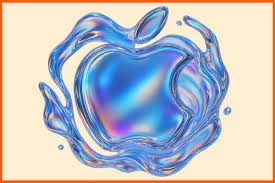
At the much-anticipated Worldwide Developers Conference (WWDC) 2025, Apple once again reshaped the boundaries of software design and user experience by unveiling its revolutionary new user interface: ‘Liquid Glass’ UI.
Touted as the most significant visual redesign since iOS 7, Liquid Glass is not just a cosmetic change—it’s a complete reimagination of how users interact with Apple devices across iPhone, iPad, Mac, and Vision Pro.
What Is ‘Liquid Glass’?
Liquid Glass is Apple’s new system-wide UI aesthetic built on the concept of fluidity, depth, and adaptive responsiveness. As the name suggests, the interface feels like you’re interacting with layers of molten, intelligent glass—dynamic, context-aware, and visually striking.
It leverages Apple’s Metal framework and new ML-based rendering pipelines to introduce real-time visual responsiveness. The UI appears almost alive, adapting subtly to the user’s environment, device orientation, app context, and usage habits.
Key Features of the ‘Liquid Glass’ UI
Fluid Transparency and Refraction Effects
Liquid Glass introduces a new refractive rendering layer that mimics how real glass bends light. Icons, notifications, and widgets now feel suspended in space, with shadows and highlights that move as you do—especially stunning on the iPhone 17 Pro’s always-on display and the Vision Pro 2’s spatial canvas.
Dynamic Adaptive Layers
Each element of the UI is composed of adaptive layers that respond to:
- Time of day
- Ambient lighting (via device sensors)
- Motion (via accelerometer and gyroscope)
- Content context (e.g., darker hues during video playback, lighter when reading)
Color Morphing Engine
Apple introduced a Color Morphing Engine, where the UI adjusts its tint and shade based on the dominant colors of the app or media content. For instance, while listening to music with a red album cover, your control center and volume sliders might take on warm red tones that subtly shift in real-time.
Tactile Visual Feedback
On devices with haptics, such as iPhone and MacBook, visual changes are now synchronized with physical feedback. Tapping a control causes ripples or “glass shimmer” effects that respond to your pressure and movement—creating a deeper sense of physical interaction.
Focus-Powered UI Scaling
Borrowing ideas from Vision Pro, Liquid Glass uses eye-tracking and gesture detection (where available) to scale or highlight UI components you’re focusing on. On iPhones and iPads, this translates to touch-weighted animations—where buttons expand ever so slightly as your thumb approaches.
Platform-Specific Enhancements
iOS 19 & iPadOS 19
- Redesigned home screen widgets that flow like fluid, changing appearance based on usage patterns.
- Notification Center now behaves like a ripple tank, gently absorbing incoming alerts into a soft glowing stream.
- App transitions use depth-aware animations for a cinematic, spatial feel.
macOS Sequoia
- Windows and sidebars appear like panes of polished glass.
- Menu bars now use dynamic blur and focus, creating a frosted fog effect that recedes when inactive.
- Supports Liquid Glass Accents, which developers can tap into for third-party apps.
visionOS 3
- Liquid Glass is a native element of spatial computing in Vision Pro 2.
- 3D interface elements now shift opacity and depth based on where the user is standing or looking.
- UI reacts to gaze and gesture with buttery-smooth refraction and glow effects.
Developer Impact: A New Design Language
With Liquid Glass, Apple unveiled a new GlassKit API—a powerful set of tools for developers to bring Liquid Glass elements into their apps. It offers:
- Drop-in refractive layers
- Adaptive light filters
- Real-time UI skinning based on content
- Integration with haptics and environment sensors
Developers are encouraged to start experimenting with the new Glass Templates in Xcode 17. The redesigned Human Interface Guidelines (HIG) provide detailed direction on how to adopt the Liquid Glass Design System without overdoing effects.
The Road Ahead
The Liquid Glass UI is more than an aesthetic overhaul—it’s Apple’s bet on immersive, personalized computing. It bridges the physical and digital worlds with visuals that breathe and respond like natural elements. This UI speaks the language of spatial computing while staying grounded in the simplicity that defines Apple’s design philosophy.
Public beta versions of iOS 19, iPadOS 19, macOS Sequoia, and visionOS 3 with Liquid Glass will roll out in July 2025, with final releases scheduled for September.
Final Thoughts
Apple’s WWDC 2025 was a landmark event, and Liquid Glass is undeniably the crown jewel of this year’s announcements. As developers and users alike explore its capabilities, it’s clear Apple isn’t just evolving UI—it’s redefining the emotional relationship we have with our devices.
Stay tuned as we dive deeper into the GlassKit API, hands-on impressions, and best practices for adopting the Liquid Glass aesthetic into your digital products.